The components of the system
There are only three moving parts to understand. First, there is the AI engine. That is the conversational brain. It is either on the big online providers (e.g., OpenAI, Anthropic) or can be deployed locally. The AI engine explains, compares, interprets, and helps me reason through choices.
Second, there are the portfolio tools that are implemented in the MCP Portfolio Ideas toolkit. This is where the magic happens. Actual assets being analyzed, real market data being used, and real metrics being calculated.
Third, there is the integration layer. This is the MCP (model context protocol) layer that you will be using to connect your AI engine to the portfolio tools. This is the bridge that lets the AI engine call the portfolio functions in real time during a conversation. We will configure this bridge component here, so that you can use it seamlessly in your conversation about your portfolios.
1. Setup considerations: security and privacy
Before I set up anything, I have to make a strategic decision. A portfolio is sensitive information. Even if it is “only” a list of tickers and weights, it still reveals preferences, exposures, and a financial footprint that many people would rather keep under tighter control. Do I want that information shared with a hosted AI service, or do I want to keep it on my local machine? That is the main decision about who (which LLM) I discuss my portfolio with.
That is why there are two legitimate setup paths. One prioritizes privacy and local control. The other prioritizes speed and convenience. Neither path is automatically right. The right answer depends on how much I value privacy, how much friction I am willing to accept, and whether I am comfortable sharing portfolio details with a hosted AI service.
My rule is simple. If privacy matters most, I should start local. If convenience matters most, I can use a hosted path, but I should do it with open eyes. This should be an intentional tradeoff, not an accidental one.
1.A. Local Setup
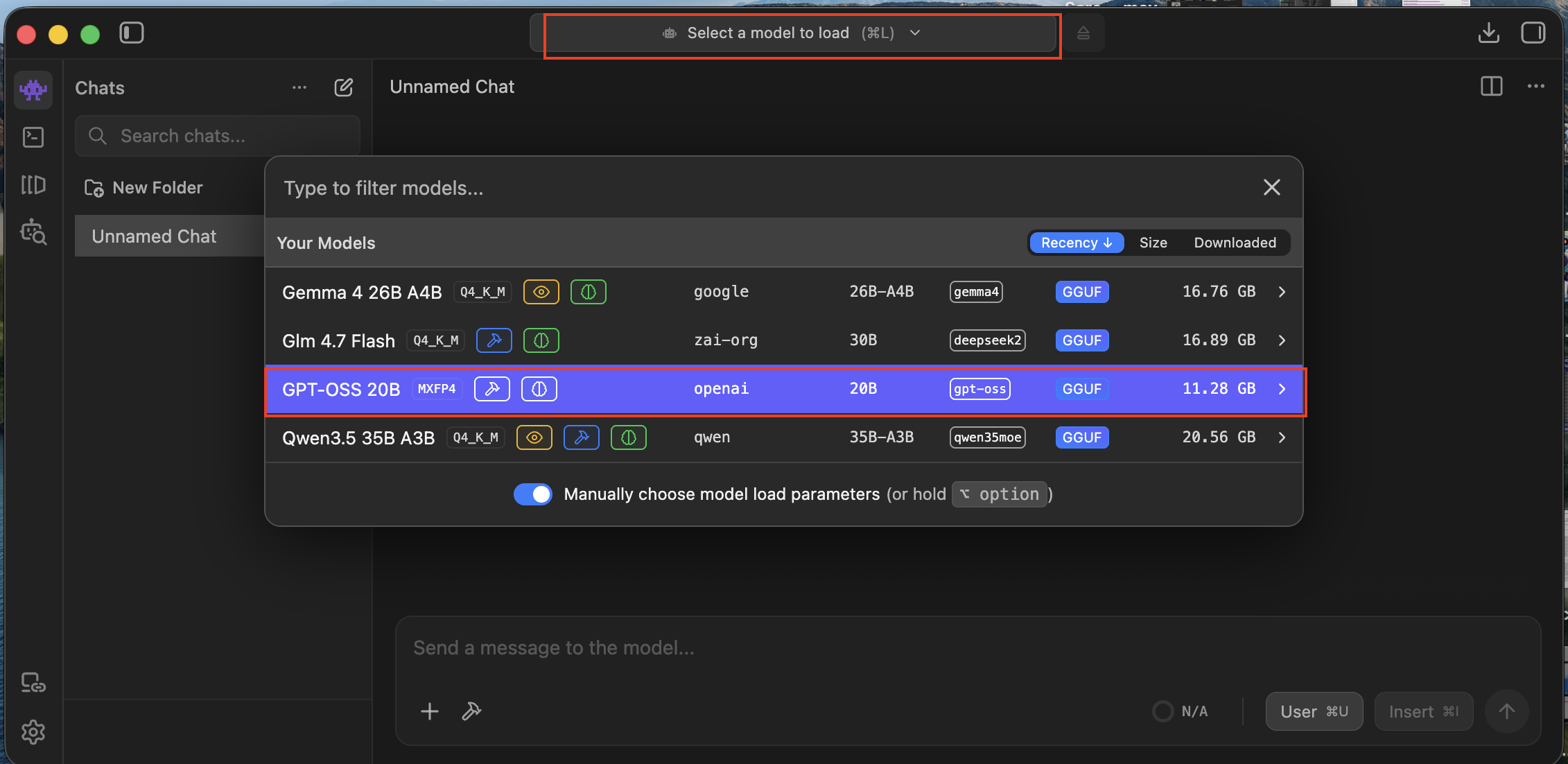
If I want the strongest privacy posture, LM Studio is the cleanest place to begin. I use it a lot, and it has a straightforward way to connect to MCP tools. It also supports a wide range of local models, so I can choose the one that best fits my needs and resources. Currently I am using gpt-oss-20b, it runs great on my MacBook Pro (M1 Max, 32GB RAM).
In practice, my checklist is straightforward.
- I open LM Studio. I choose a local model that is solid enough for instruction-following and multi-step reasoning. gpt-oss-20b is my go-to one.
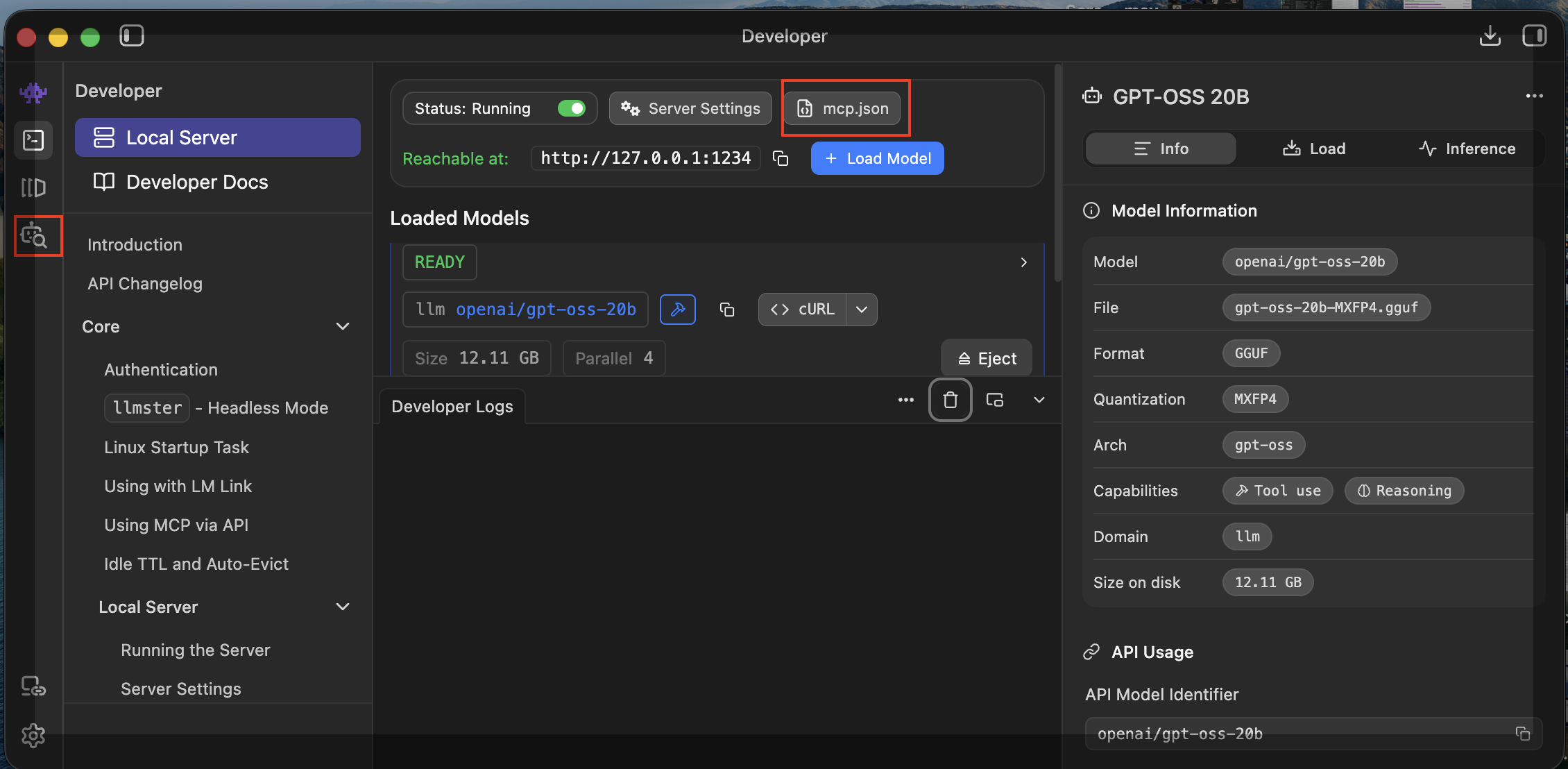
- Then I configure the MCP integration in the client and add the MCP Portfolio Ideas connection details.
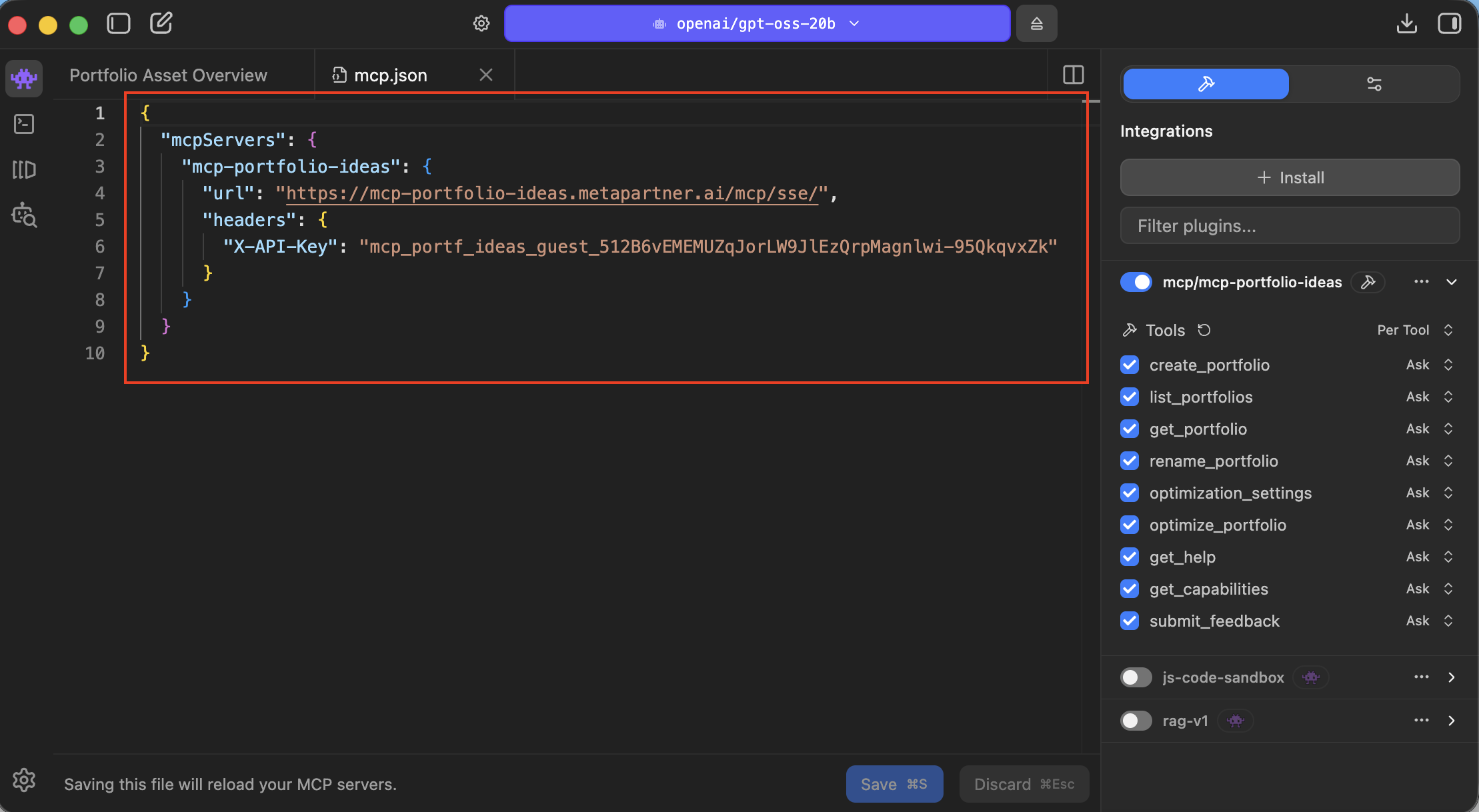
- Finally, I can see in LMStudio tools section how the Portfolio Ideas tools have been loaded and are available for use.
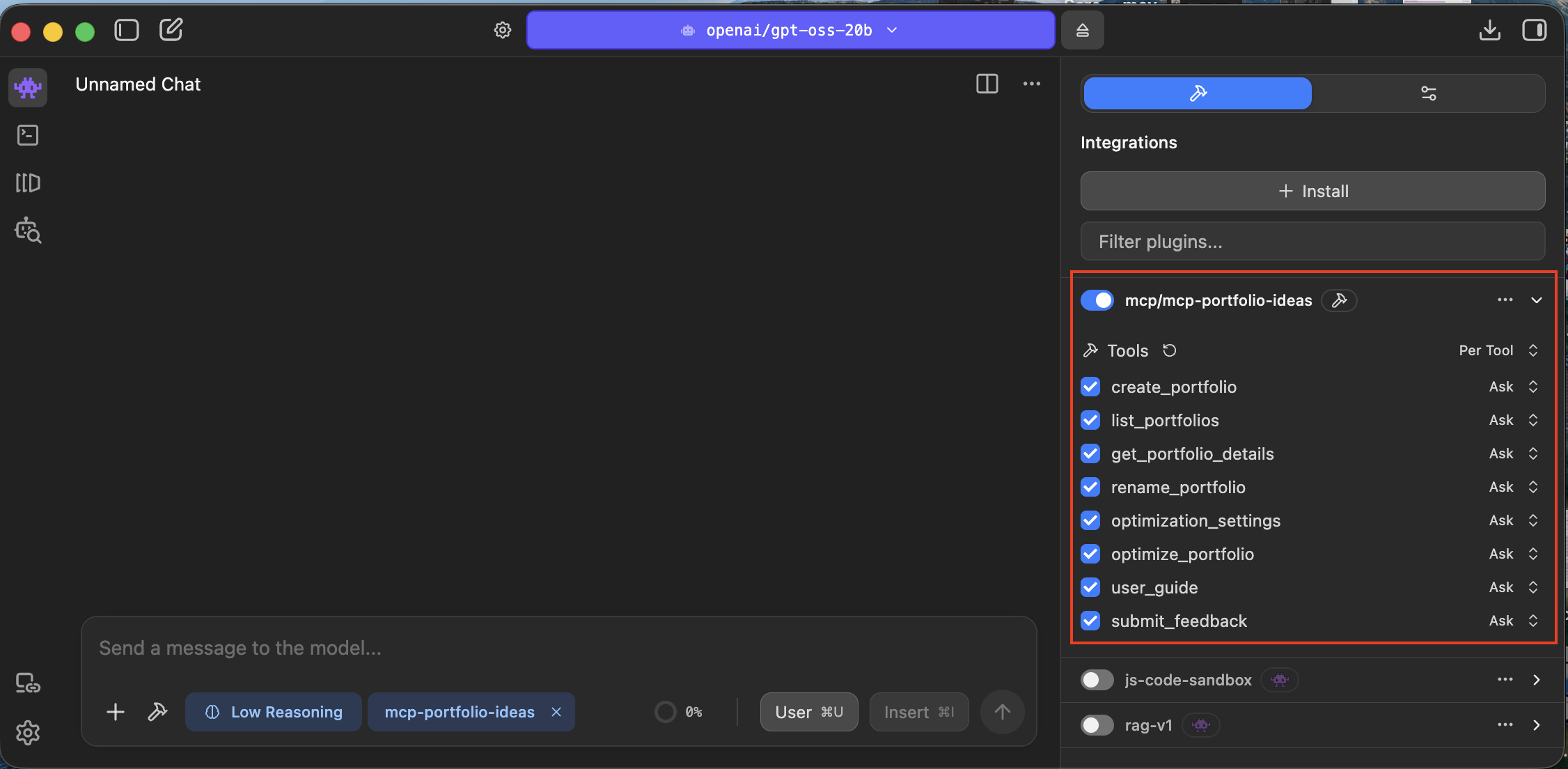
Once that is done, I verify the setup. I ask the model what portfolio tools it has access to, or I start running a simple portfolio analysis, as described in the section 2.a.
The upside of this route is clear. My model can run locally, my portfolio discussion stays under tighter control, and I can experiment without feeling like I am casually sending sensitive financial context into a third-party system. If privacy matters most, this is the route I would recommend first.
If privacy matters most, local models are not a luxury. They are the point.
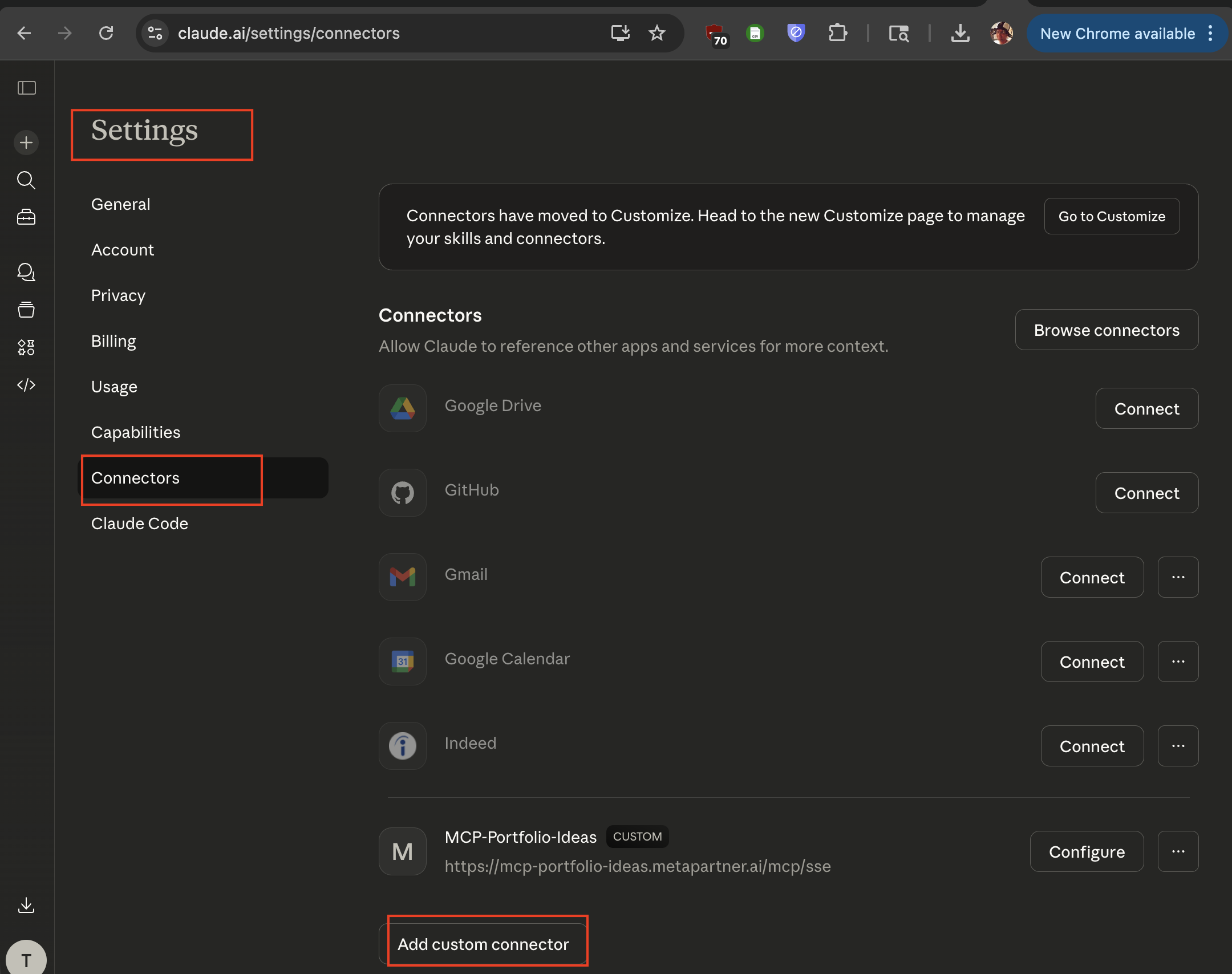
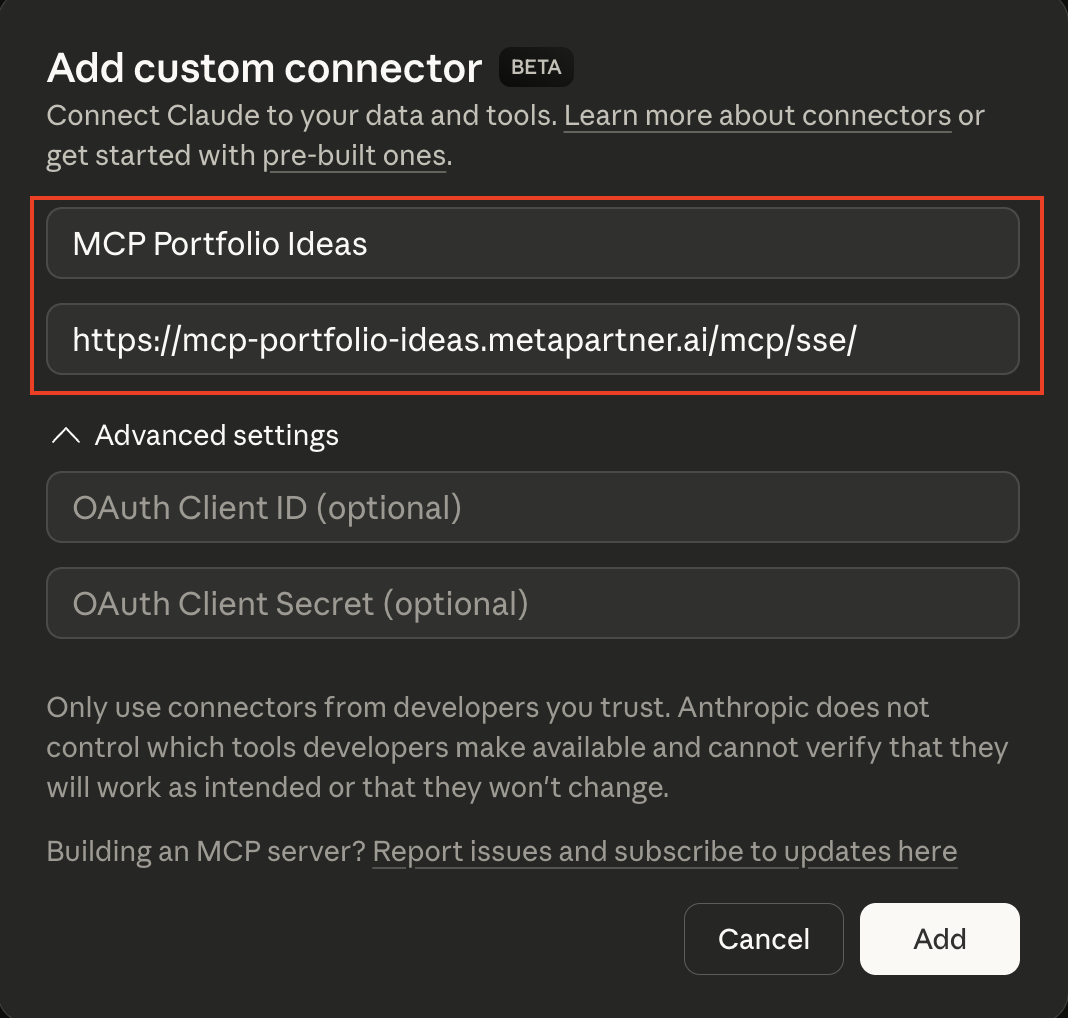
1.B. Hosted Setup (Claude.ai)
Claude may be the faster path to a polished experience. The structure is similar: configure
the MCP integration point, make sure the portfolio tools are available, and then start a
conversation where Claude can call those tools when needed.
 The difference is not really the setup flow. The difference is the privacy posture. If I use
Claude or another hosted AI service, I should assume that my portfolio conversation may be
processed outside my local machine according to that provider's policies. For some users,
that is acceptable. For others, it is a clear reason to prefer local models.
The difference is not really the setup flow. The difference is the privacy posture. If I use
Claude or another hosted AI service, I should assume that my portfolio conversation may be
processed outside my local machine according to that provider's policies. For some users,
that is acceptable. For others, it is a clear reason to prefer local models.
So my advice here is simple. I should use Claude because I am intentionally choosing convenience and a strong user experience, not because I forgot to think about data sensitivity. Hosted tools are often the fastest way to get value, but they are not the most private way to get value.
A simplest analysis workflow
Once the connection is working, I do not need a complicated first session. In fact, the simplest operation is the best one because it proves the entire workflow end to end.
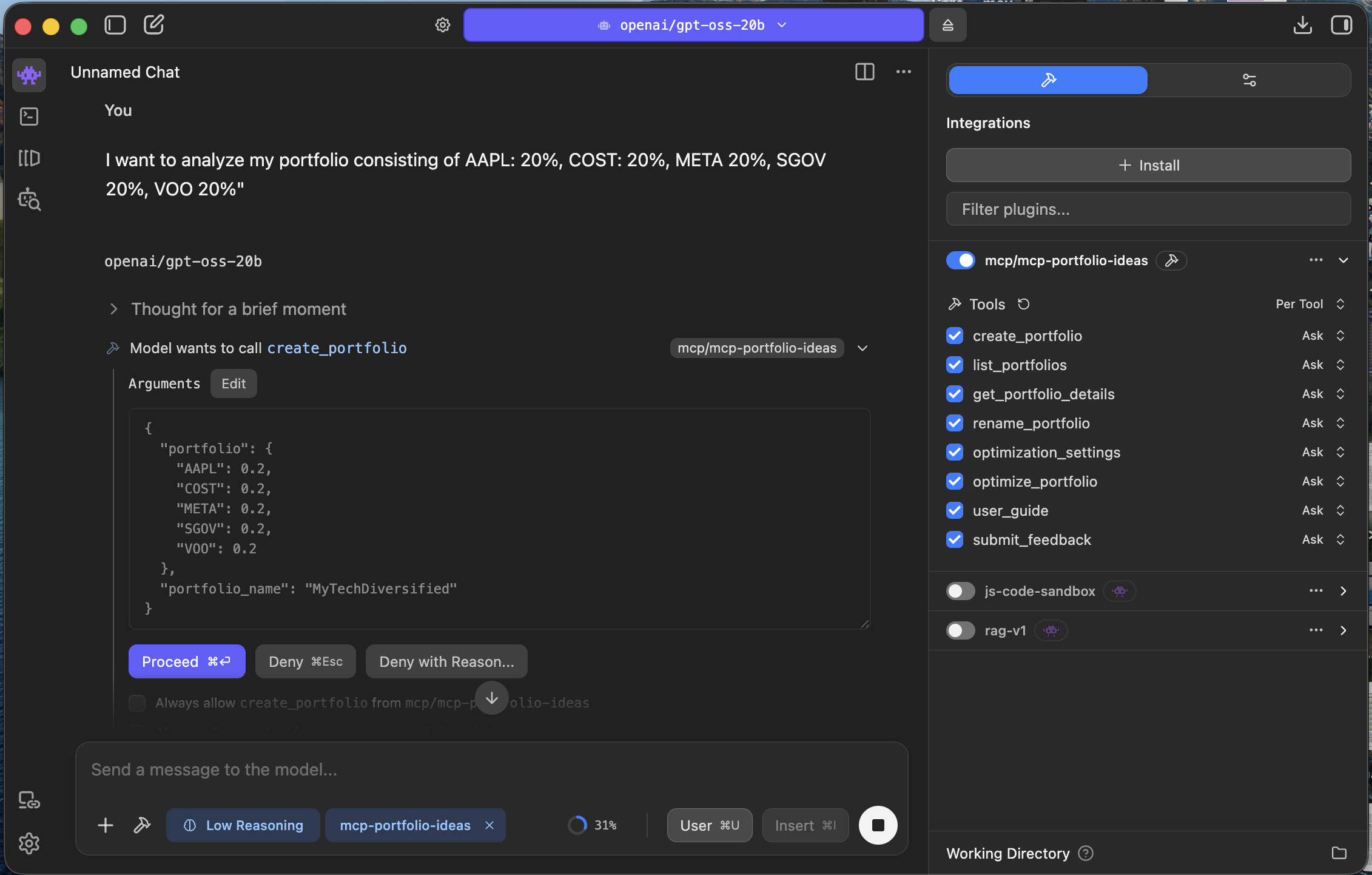
2a Define the portfolio
I start by giving the model my current portfolio. Not an ideal version. Not a future
watchlist. My current portfolio. That can be as simple as a list of assets and weights or a
straightforward list of positions. The goal is to establish a real object that both the
model and the MCP tools can reason about together.
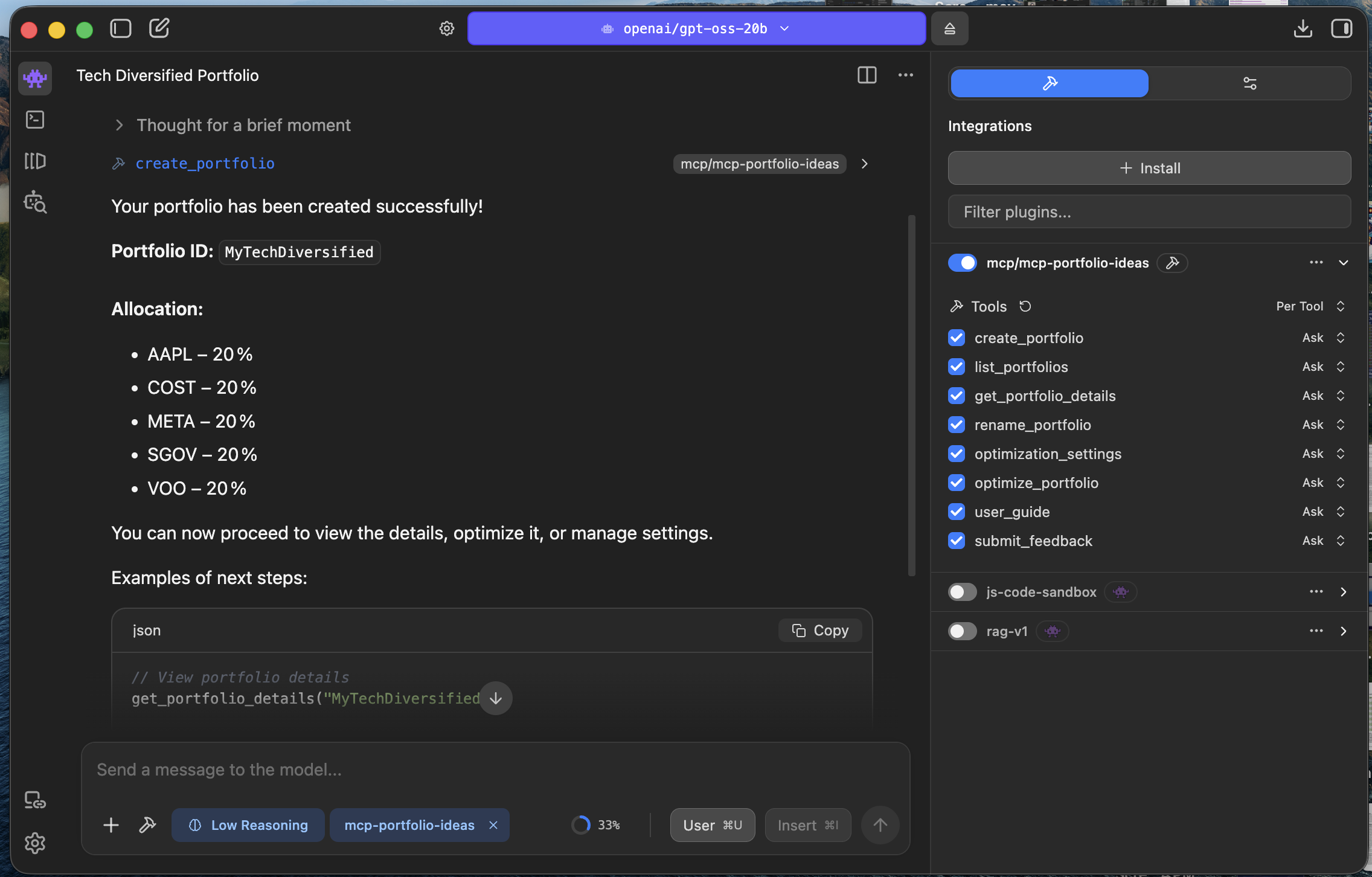
I also want the model to restate the portfolio back to me. That sounds small, but it is how
I confirm that the system is using the right holdings before I ask anything more ambitious.
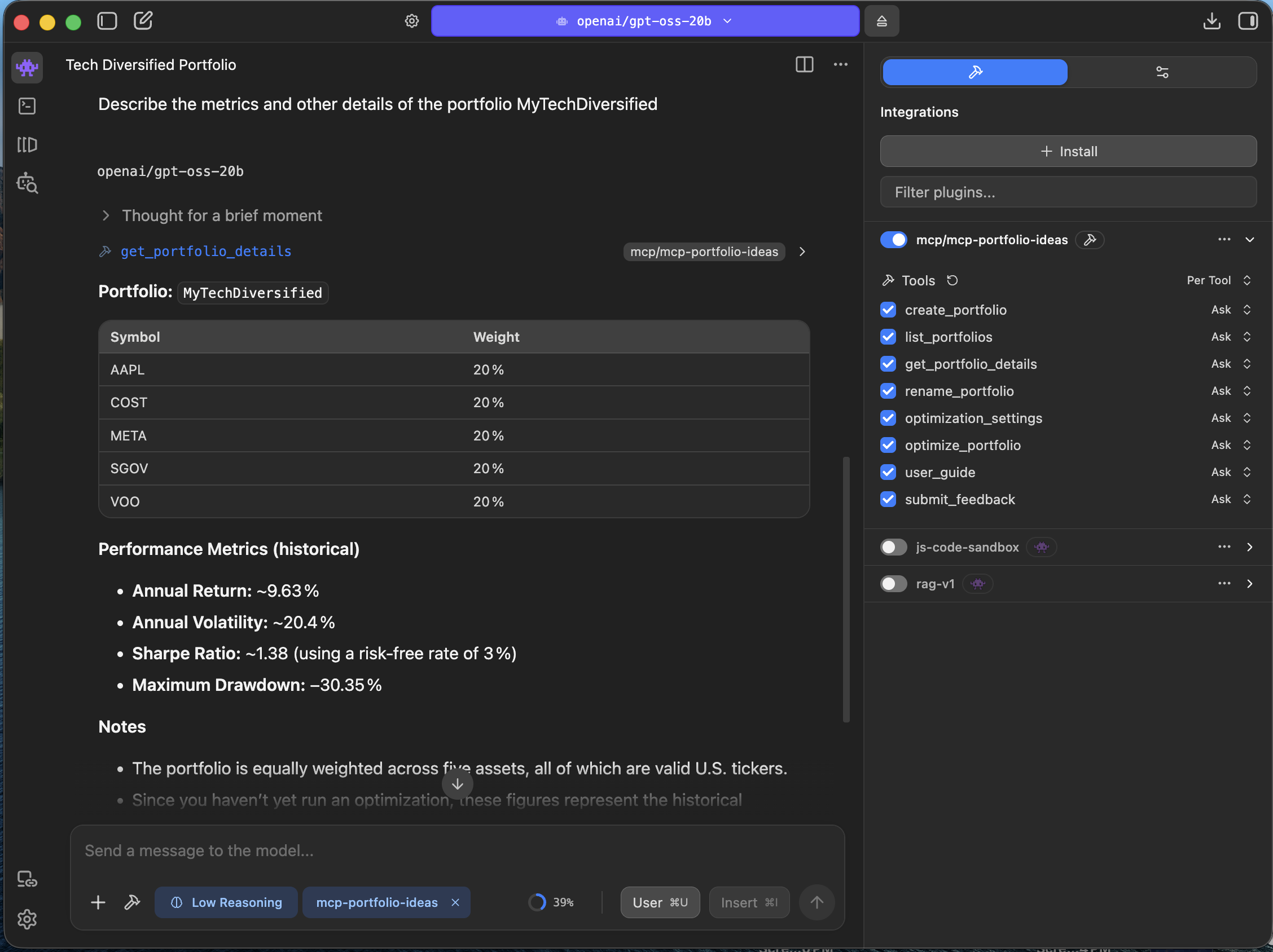
2.b Request portfolio metrics
Once the portfolio is defined, I ask for metrics. I want the system to tell me what kind of
portfolio this actually is. What are the key portfolio risk metrics? Where is the
concentration? What sectors or exposures dominate? Is the portfolio more balanced than I
assumed, or less balanced than it feels?
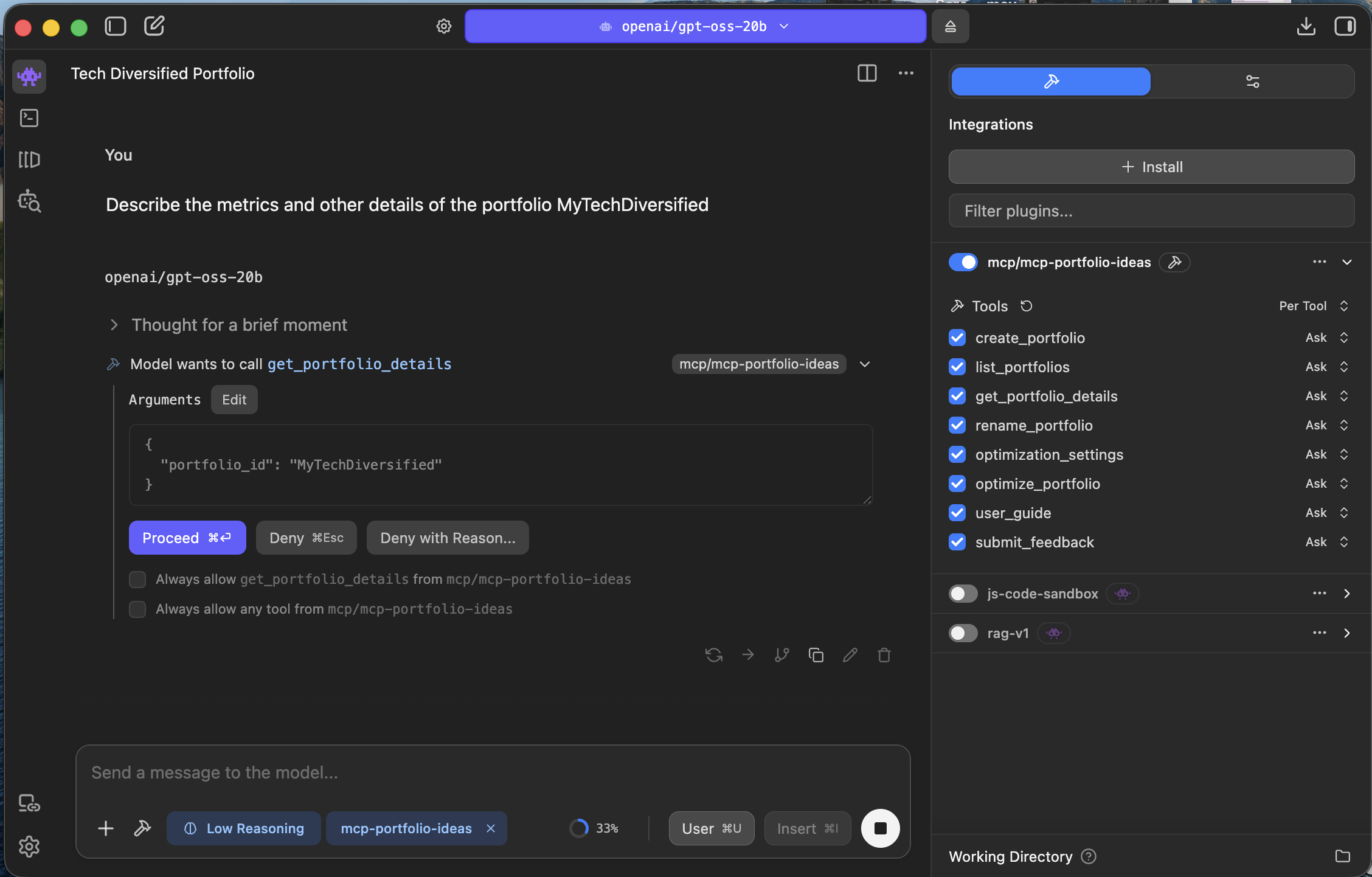
This is usually the first moment the workflow proves itself. I stop relying on intuition and
start getting a measurable picture of what I own.
2.c Ask the LLM for commentary and improvement ideas
Once I have the metrics, I ask for commentary. Not generic market commentary. Commentary on
this portfolio. Where does it look strong? Where does it look fragile? What are the biggest
opportunities to improve it? What are two or three alternative directions worth exploring?
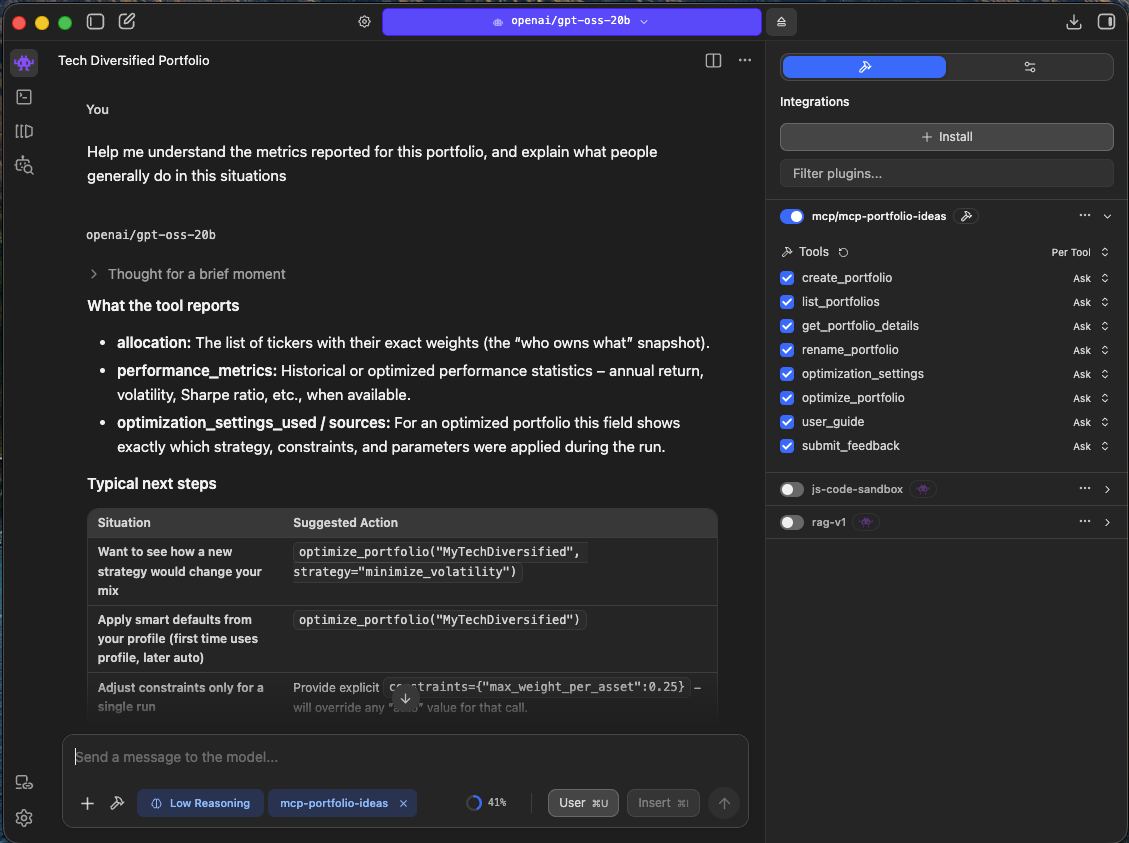
This is where the educational value shows up. I am not just getting numbers. I am getting a strategic conversation around those numbers. Why might one allocation reduce risk? What is the tradeoff if I become more defensive? What am I implicitly betting on with my current mix? Those are the questions that turn a portfolio review into actual learning.
If I want a simple starter sequence, I can ask the model to define this portfolio, provide the key metrics, identify the main risks and concentrations, and suggest a few promising directions to improve it. That one sequence is often enough to justify the entire setup.
The first win is not a perfect allocation. The first win is finally seeing the portfolio clearly.
What I should expect after the first session
After one short session, I should already have something valuable: a more quantitative view of my portfolio, a better understanding of its tradeoffs, and a much more intelligent starting point for improvement. That alone is a major upgrade from the old workflow of scattered opinions and fragmented decisions.
Just as important, I should now have a repeatable setup. From this point forward, I am not starting from scratch every time I want to revisit the portfolio. I have a workflow that lets me move quickly from definition to analysis to strategy.
Next in the series
In the next article, I move from understanding my current portfolio to thinking like a professional and actively testing alternatives: Think like a professional: Choosing and Running Various Portfolio Optimizations.
Back to the article index