Claude
- Open Customize → Connectors, then choose Add custom connector.
- Name it “MCP Portfolio Ideas” and add the hosted endpoint below.
- Add the API-key request header, save, then enable the connector in a new chat.
Use a hosted AI client such as Claude or ChatGPT, or connect a local model through LM Studio.
Add the remote MCP server in your AI client, then use it in a new portfolio conversation.
https://mcp-portfolio-ideas.metapartner.ai/mcp/X-API-Key: mcp_portf_ideas_guest_512B6vEMEMUZqJorLW9JlEzQrpMagnlwi-95QkqvxZkUse the guest key only with non-sensitive examples. ChatGPT custom apps require an eligible plan or workspace with Developer Mode available.
Start with the shared guest workspace, verify the MCP tools are visible, then run a first portfolio analysis.
Use the guest key for exploration. Anything sensitive should use a private user key instead.
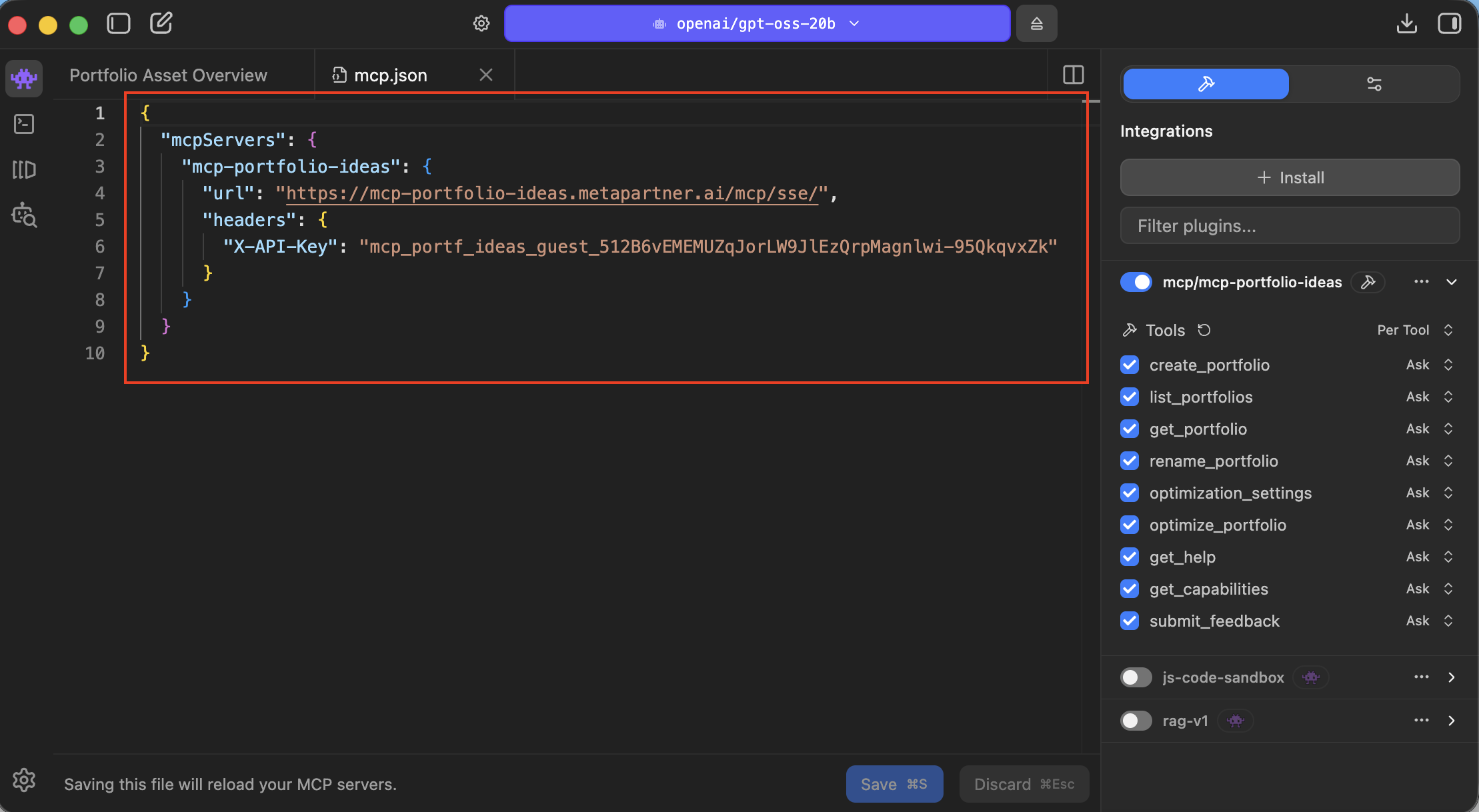
Paste the config into LM Studio > Developer > mcp.json, then reload tools.
Confirm the model can see the portfolio tools, then define a small portfolio and request metrics.
Open detailed setup guidePaste this JSON block into your MCP settings.
"mcp-portfolio-ideas": {
  "url": "https://mcp-portfolio-ideas.metapartner.ai/mcp/sse/",
  "transport": "sse",
  "headers": {
    "X-API-Key": "mcp_portf_ideas_guest_512B6vEMEMUZqJorLW9JlEzQrpMagnlwi-95QkqvxZk"
  }
}
Use these in order after the MCP tools show as available in your AI client.
Tell me what tools are available via the portfolio ideas interface.
I want to work on MyCurrentPortfolio, consisting of AAPL 25%, SPY 50%, COST 15%, SGOV 10%
What portfolios do I have available to work on?
(primarily for registered users)
Analyze my current portfolio's performance. Explain whether the metrics indicate a good or poor performance.
On my portfolio "X", run an optimization to suggest a better allocation and explain the "why" behind it.
I want to add NVDA but keep my total stock exposure under 60%. Use the tools to find the best way to integrate it while staying in my risk profile.
Optimize my portfolio for maximum returns.
Compare and contrast optimized portfolios against each other.
MCP is the connection that lets a compatible AI assistant use specialized portfolio-analysis tools instead of answering from general knowledge alone.
mcp-portfolio-ideas to force the LLM to focus on my tools
mcp-portfolio-ideas tools
because they actually compute the answers using real market data.
mcp-portfolio-ideas is there to do
the math and to consider the financial foundations, the decision is
yours, so use LLMs, advisors, and your own judgement to make the best decisions.
MCP-Portfolio-Ideas only guides you directionally, it does not provide solid investment advice
Using the MCP server configuration above puts you in
the guest workspace, where everything is shared and visible. If you
have portfolios or other information you consider private, don't use this workspace.
Reach out to me for a private user key.
To facilitate experimentation, we're
wiping clean the guest workspace every night at 4am EST